Skip to content

PatchPatrol

Code reviews with local AI

PatchPatrol reviews GitLab merge requests, GitHub pull requests, and local diffs through approved model endpoints.

PatchPatrol

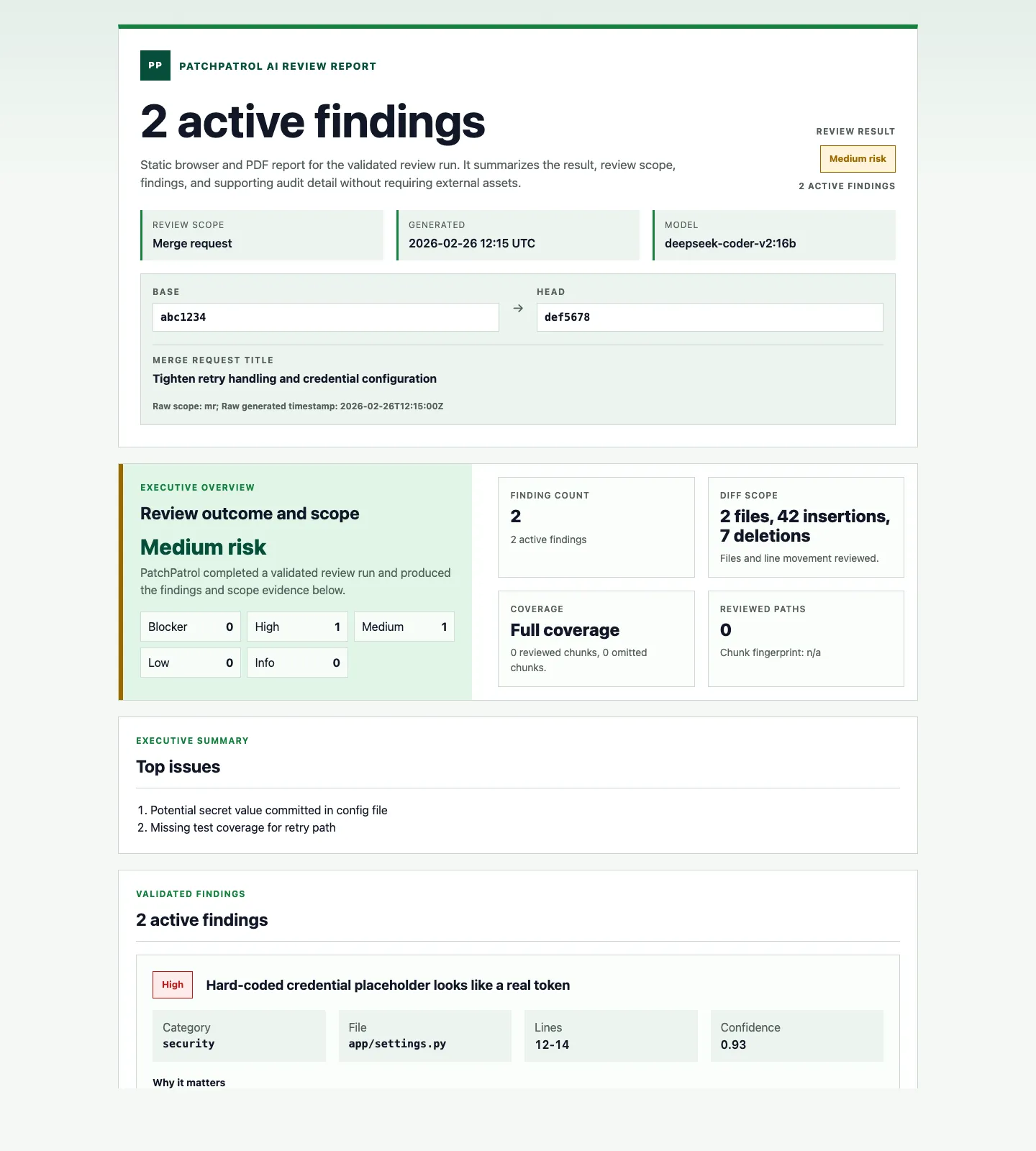
PatchPatrol AI review report screenshot shown in the homepage hero

Concept

AI-assisted code reviews

Transparent AI use

Controlled LLM models and APIs

PatchPatrol works with limited context and calls only defined, approved model endpoints. Your code does not get sent to uncontrolled external services.

Local, self-hosted, or approved

Limited context

Review relevant changes, not the whole codebase

PatchPatrol gathers the context needed for the relevant changes. Because only that smaller data set is reviewed, analysis stays fast even on local hardware.

MR, GitHub PR, and local diff context

Directly traceable

Feedback in review context

Depending on setup, PatchPatrol can provide feedback as inline comments on the affected lines, as a CI summary, and as an HTML report. Short notes stay visible in review, while the full report remains available.

Inline comments, CI summary, HTML report

Risk in focus

Spot risks sooner

PatchPatrol surfaces signals that deserve attention and adds context for the affected change.

Context for decisions

Pipeline integration

AI feedback directly in your pipeline

PatchPatrol extends your existing merge request or pull request pipeline. Feedback appears directly in the CI run so reviewers can see which changes need attention.

Uses existing tools from your project

Node
Python
Go
Java
Ruby
Rust

GitLab CI

.gitlab-ci.yml
01 patchpatrol_review:
02 image: registry.patchpatrol.ai/patchpatrol:latest
03 rules:
04 - if: '$CI_MERGE_REQUEST_IID'
05 variables:
06 AI_REVIEW_PROVIDER: "ollama"
07 AI_REVIEW_OUTPUT_DIR: ".ai-review"
08 AI_REVIEW_FEEDBACK_MODE: "artifact-only"
09 script:
10 - ai-review run --mode mr
11 artifacts:
12 when: always
13 paths:
14 - .ai-review/*
15 reports:
16 codequality: .ai-review/gl-code-quality-report.json

How it works

Selected change, bounded context, traceable review result.

  1. Step 01

    Code change as the starting point

    The run starts with a concrete change: a GitLab merge request, a GitHub pull request workflow, or a local diff.

  2. Step 02

    Bound the relevant context

    The review context includes only content tied to the selected change. The model call stays smaller, faster, and easier to audit.

  3. Step 03

    Trust checks before AI review

    Before each provider call, trust checks validate the endpoint, scope, and sensitive content. That keeps the AI review boundaries visible.

  4. Step 04

    Code review

    The LLM checks the change context, scope limits, and affected code paths. The result is a set of prioritized findings with clear reasoning.

  5. Step 05

    Make findings traceable

    The model response becomes a review summary for a quick overview. The HTML report shows findings, context, and assessment in detail.

Use docs for the technical path

Open the docs for setup, configuration, or recovery.

This page explains where PatchPatrol fits. The docs cover admin setup, developer handoff, configuration reference, and troubleshooting.

Admin path

Set up the GitLab review flow

Use the admin quickstart for the GitLab artifact-first setup path, provider prerequisites, and rollout contract.

Open admin quickstart

GitHub Actions path

Run bounded review from a pull request workflow

Use the GitHub Actions guide for `--mode github-pr`, job summary output, and uploaded `.ai-review/*` artifacts.

Open GitHub Actions guide

Direct help

Use contact when fit or rollout shape is the question

If you are still checking whether PatchPatrol fits your environment or constraints, talk to us before jumping into setup docs.

Talk to PatchPatrol

Ready to try it on a real review?

Talk to us about your first PatchPatrol review

Tell us about your rollout, privacy constraints, and the first code area you want reviewed. We'll tell you where PatchPatrol fits, where it does not, and what a cautious pilot would look like.